The guide
5 best budget mechanical keyboards
THE SHORT ANSWER
My all-round pick is the Keychron V1 Max. It keeps the useful keys, adds wireless links, and lets you change switches. The C3 Pro 8K is my lower-cost wired choice.
You don't need a costly keyboard to enjoy typing. You need the keys you use, switches you like, and a layout that leaves room for your mouse.
I'd keep the first purchase simple. These five budget mechanical keyboards cover compact desks, wireless work, and wired games. Check the exact switch and color at checkout, since one model can come in several forms.
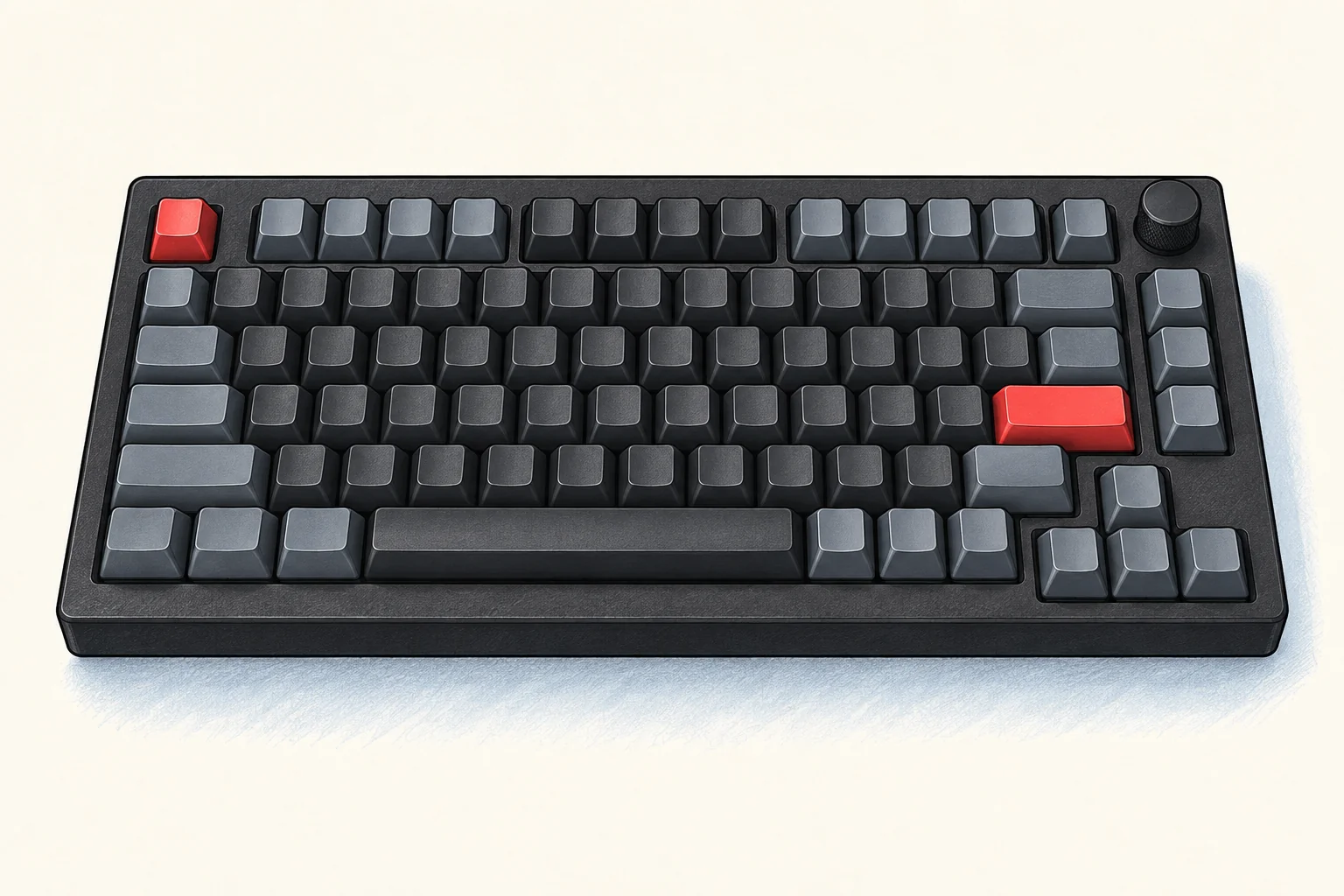
The best budget mechanical keyboards at a glance
| Keyboard and US price | The reason to choose it |
|---|---|
| Keychron V1 Max $104.99 | Best all-round choice with wireless and a function row |
| AULA F75 $79.99 | A lower-cost wireless 75% board with linear switches |
| Royal Kludge R65 Wired QMK/VIA $59.99 | A small wired board that keeps arrow keys |
| Keychron C3 Pro 8K $54.99 | A familiar wired layout with space around the arrows |
| Redragon FIZZ K617 $44.99 | The lowest price here, if a 60% layout suits you |
Prices are for the specific assembled versions below, checked September 14, 2026, before tax and shipping. A barebone price can look tempting, but it may leave out the switches and keycaps. That isn't the total price of a working keyboard.
For this guide, budget means roughly $45 to $105. I favor useful layouts, replaceable switches, and a clear reason to spend more. None of these mechanical keyboards has a number pad. If you enter figures all day, keep that need ahead of the price or the look.
1. Keychron V1 Max: the best all-round pick
The Keychron V1 Max is the budget mechanical keyboard I'd choose for a desk used for both work and games. Its 75% layout keeps the function row and arrow keys. A knob gives you a quick way to change the volume.
The $104.99 version here is fully assembled, in Carbon Black, with Gateron Jupiter Red switches. It includes double-shot PBT keycaps. There's also a barebone version, so check that you're buying the complete board.
You can use USB-C, 2.4 GHz wireless, or Bluetooth. The first two modes run at 1,000 Hz. Bluetooth is slower, but useful when moving between up to three paired devices. For a game where timing matters, I'd use the cable or receiver.
Why I'd pay more: it offers a sensible route to later changes. Its hot-swap sockets take 3-pin and 5-pin MX mechanical switches. You can change the feel without buying a whole new keyboard or learning to solder.
The tradeoff: this is the most costly pick here. If it will stay plugged into one computer, the C3 Pro 8K gives up wireless and saves a useful amount.
2. AULA F75: wireless for less
The AULA F75 keeps the compact 75% layout at a lower price. I'd choose the $79.99 Light Blue version with LEOBOG Reaper linear switches. It suits someone who wants a complete wireless keyboard, with no major rebuild planned.
It has 80 keys, a rotary knob, and three ways to connect: Bluetooth, 2.4 GHz, or a wire. The 4,000 mAh battery charges through USB-C. Battery size alone doesn't tell you the hours you'll get with the lights on.
The gasket mount supports the typing plate on softer points inside the case. It can change how a board feels and sounds, but it doesn't turn a cheap keyboard into a silent one. The hot-swap sockets give you another way to change the feel later.
The tradeoff: make sure the listing says the standard F75. Similar names cover other versions. Software support, key legends, switches, and lights deserve a look on the exact listing, especially if you use a Mac.
One owner in a discussion of affordable keyboards still favored the F75 after trying other boards. That's one person's taste, not proof that it will suit everyone. I like the broader point: a keyboard you enjoy doesn't need replacing just because a new one exists.
3. Royal Kludge R65: small, with real arrow keys
The Royal Kludge R65 Wired QMK/VIA is my compact wired pick. The Black version with Cream switches was $59.99 at publication. It uses a 65% layout with 66 keys and a volume knob.
That middle ground matters. You lose the dedicated F-keys, but keep dedicated arrow keys. I'd choose it over a 60% board for writing, spreadsheets, and moving through text. You gain desk space without hiding every small task behind a shortcut.
The current wired model has QMK/VIA programming, double-shot PBT keycaps, and sockets for 3-pin and 5-pin mechanical switches. Its gasket mount and sound-absorbing layers are useful details. The typing sound still depends on the switches, keycaps, and desk.
The tradeoff: it connects by USB-C. Don't assume it has wireless because another R65 listing does. This is a specific wired version, and it suits a desk where the cable can stay put.
I'd pick this for a small desk, not for someone who uses F-keys all day. A few inches saved aren't worth a shortcut you resent each hour.
4. Keychron C3 Pro 8K: a practical wired value
The Keychron C3 Pro 8K is my choice for a familiar layout at a low price. The RGB hot-swap version with Apex Red switches was $54.99 when checked.
Its tenkeyless shape, often called TKL or 80%, keeps a full function row and separate navigation keys. Only the number pad is gone. That gives your mouse more room while keeping the keys easy to find.
The USB-C connection is wired only. Keychron lists an 8,000 Hz polling rate, QMK support, and key changes through its Launcher tool. Windows and macOS keycaps are included. The Apex switches come factory lubricated.
Why I like it: you can buy for the layout and the hot-swap sockets. You don't need a game that benefits from 8,000 Hz to make this keyboard useful. The price leaves more room for a mouse that fits your hand.
The tradeoff: it takes more desk width than the R65 and can't connect by Bluetooth. Check the full C3 Pro 8K name. Older C3 Pro versions have different switches, lights, and socket support.
5. Redragon FIZZ K617: cheapest, with a layout catch
The Redragon FIZZ K617 in White & Grey is the lowest-priced board in this group at $44.99. It's a wired gaming keyboard with 61 keys and linear red switches.
I'd choose it when desk space and price come first. A 60% layout leaves a large area for the mouse. The current listing also specifies upgraded hot-swap sockets for 3-pin and 5-pin switches, plus RGB lights and software controls for macros.
The catch is the keys: there's no dedicated function row or arrow cluster. You use layers to reach those actions. That may suit a gaming keyboard. It can be tiresome when editing a long document.
Check the exact product before you pay. This pick is the ordinary mechanical K617, not a magnetic-switch version with a similar name. Don't carry a feature from one version across to the other.
I'd pay the small extra cost for the C3 Pro 8K if it fits on the desk. The K617 makes sense when its size is a benefit, not merely a way to save ten dollars.
Choose the layout before the switches
A layout changes every day of use. On mechanical keyboards, the switch shapes each press. Both matter, but a missing key is harder to ignore than a small change in sound.
| Layout | What you keep or lose |
|---|---|
| TKL / 80% | Function row, arrows, and separate navigation keys; no number pad |
| 75% | Function row and arrows in a tighter space |
| 65% | Arrow keys, with function keys reached through a layer |
| 60% | A small main key block; arrows and function keys use layers |
I'd watch my current keyboard for a workday before choosing. Do you reach for Home, End, Delete, or F5? Keep easy access to those keys. A tiny board that slows routine work is poor value at any price.
Also look at your desk as a whole. If you listen through a desktop headphone amp, leave room for the volume knob and cable. A compact keyboard can help, but it should still fit the way you type.
Linear, tactile, or clicky?
Linear switches move down without a deliberate bump. They are a common choice for a gaming keyboard and suit people who want a smooth press. They aren't silent by default. A key can still make noise when it hits the bottom or springs back up.
Tactile switches add a bump during the press. Some typists like that cue. Others find it distracting. A heavier bump isn't proof of better build quality.
Clicky switches add a clear click. I'd avoid them in a shared room unless everyone nearby likes that sound. Headphones on your head don't hide keyboard noise from the person next to you.
If you can't try a switch first, choose a hot-swappable keyboard with a clear return policy. That keeps a wrong first choice from becoming a full replacement. Read the socket spec before buying new switches; mechanical and magnetic switches aren't interchangeable.
Mechanical keyboards: build quality worth paying for
Hot-swap sockets
Hot-swap sockets let you remove and replace switches without soldering. This makes customization easier. I value that more than extra light effects. A bad switch can be replaced, and a new feel doesn't require a whole new board.
Keycaps and clear legends
Double-shot keycaps form the legend with a second piece of plastic. PBT is a common keycap material. These features don't tell you if the shape will feel right under your fingers. Check the profile, the key sizes, and how easy the letters are to read.
Gasket mount and case feel
A gasket mount can soften the way the plate is held in the case. Foam can change the sound inside it. These build quality features don't guarantee one specific sound. Your desk, mat, keycaps, and typing force also play a part.
Key remapping
QMK is keyboard firmware that can change what keys do. VIA and maker tools can make some of those changes easier. The QMK beginner guide explains the terms if you want to go further. Most buyers can start with the stock layout.
Wired or wireless mechanical keyboards?
Wired mechanical keyboards keep the job simple. It doesn't need charging, and one cable handles the link. If the keyboard stays in one place, wireless may not be worth an extra cost.
Bluetooth helps when you switch between a laptop, tablet, and another computer. For a gaming keyboard, a 2.4 GHz receiver often makes more sense for PC games. Keep in mind that a keyboard may have different polling rates in different modes.
Polling rate is how often the keyboard reports to the computer. Higher numbers can reduce that part of the delay. They don't fix a slow screen, poor frame rate, or a layout that doesn't suit you.
For ordinary typing, I wouldn't pay more just for 8K. In this list, the C3 Pro 8K happens to offer it at a fair price. Its layout and replaceable switches are the stronger reasons to choose it.
Is a mechanical keyboard worth a tight budget?
It can be, but I wouldn't replace a working keyboard just for the word mechanical. A cheap mechanical keyboard earns the cost when you prefer its feel, need a better layout, or want parts you can replace.
Most mechanical keyboards use a separate switch under each key. Many membrane keyboards use rubber domes over a shared contact sheet. The feel can differ a lot, even among two boards of the same type.
Mechanical keyboards give you more choice over that feel. With hot swappable switches, you can change a light press to a firmer one later. Membrane keyboards often cost less and can be quiet. Neither type will fix poor typing habits or make a missing key less annoying.
For basic office work, keep a membrane keyboard you enjoy. For a new purchase, the best budget mechanical keyboards should fit your needs and budget. Start with the layout and switch feel. The goal is a better typing experience each day.
Can a budget gaming keyboard handle office work?
Yes. A gaming keyboard can also be a good tool for writing and email. The V1 Max is my pick for that mix. It keeps everyday controls close and has a fast receiver link for games.
I'd judge a budget gaming keyboard by the tasks it makes easier. Can you press the game shortcuts you use? Can you find Delete without looking? Does the board stay put? Those questions say more about daily value than light effects.
Very fast gaming can make response time more relevant. Still, a polling-rate claim covers only one part of the path from your finger to the screen. A cheap gaming keyboard isn't automatically slow, and a high rate isn't proof of low total delay.
Mechanical keyboards: what switch colors mean
These colors often hint at the feel, but they aren't a shared rule across every brand. Read the full switch name and type on the listing. That matters when comparing budget mechanical keyboards with several switch choices.
Red switches are often linear. Brown switches commonly add a tactile bump without a separate click sound. Blue switches commonly pair tactile feedback with a click. Brown switches can still be loud when you press hard, and a red switch can still clack.
I'd choose a light linear switch for a smooth press. I'd try a tactile bump if I wanted a clear cue during typing. For a shared office, I'd skip blue switches unless the sound was welcome. A label such as silent tells you more about noise control than the stem color alone.
Don't buy a full set of hot swappable switches just because one person calls them the best. Try a small sample when you can. The best cheap mechanical keyboards leave room in the budget for a change you know you want.
Small build details I'd check first
Listen to the long keys
Space, Enter, and Shift use stabilizers to keep a wide key level. Rattle or a sticking edge can spoil the typing experience more than a subtle change in switch feel. Try these controls during the return window.
Good build quality doesn't require a metal shell. A plastic chassis can be light, firm, and easy to live with. I care more about feet that grip, a secure cable port, and a case that doesn't rock during normal typing.
Check RGB lighting against the letters
RGB backlighting can light the gaps around keycaps without lighting the letters themselves. If you type in a dim room, check whether the legends shine through. A clear desk lamp may be more useful than another lighting mode.
Lights are a matter of taste. On a budget keyboard, I'd put build quality and readable labels first. A gaming keyboard should still be easy to use when the rainbow effect is off.
Actuation, travel, and key rollover
Actuation is the point where a press registers. Travel is how far the switch can move. Mechanical switches can have different actuation points and travel distances. A light, short press may suit fast gaming, but it can also lead to slips if you rest heavily on the keyboard.
For a gaming keyboard, check anti-ghosting and n-key rollover. Anti-ghosting helps avoid false presses. N-key rollover lets many held keys register at once. These features matter when you hold movement controls and press another action. Check the mode too; support can differ between a cable and Bluetooth.
Mechanical keyboards don't have one guaranteed life span. Switch ratings describe a component under stated conditions. They don't promise that every port, battery, or circuit will last as long. I value build quality, spare parts, and a clear warranty more than a bold claim about decades of use.
Keep replacement parts compatible
Low profile mechanical keyboards use shorter parts, and their switches or keycaps may not fit a standard-height board. None of these picks is a low profile model. Check the socket type, stem, and key sizes before ordering parts.
Hot swappable switches are useful, but the pins must line up. Unplug the board before working on it. Follow the maker's steps and stop if a switch won't seat with gentle pressure. A bent pin is easier to prevent than to fix.
Remap one task at a time
If the software lets you remap keys, start with an action you use often. Move a missing shortcut to a place you can reach, then save the stock map. This kind of customization is easy to learn a step at a time. A few clear changes beat a board full of unfamiliar layers.
This is where the best budget mechanical keyboards can offer real value for office work. You can keep the hardware and change how it works as your needs change. There's no need to spend the whole budget on day one.
My final checks for the best budget mechanical keyboards
Check the switch, layout, connection type, and whether the board is fully assembled. Then add shipping and tax. Two listings with the same model name may not contain the same parts.
Keep the box until you know the fit is right. Test each key, the knob, and the connection modes you plan to use. Try your normal work, not just a short typing test. A missing shortcut becomes much clearer in a real document.
Do you need to change anything on day one?
No. Use the keyboard as it comes first. New PBT keycaps, switches, and tools can push a budget keyboard past the price of a better-fitting complete one. Change a specific thing you dislike, rather than buying parts to follow a trend.
Which one would I choose?
The V1 Max gives me the best mix of useful keys, wireless links, and room to change switches. The C3 Pro 8K is the better buy for a fixed wired desk. The R65 makes sense when space is tight but arrow keys still matter.
The best budget mechanical keyboards earn their place each time you sit down. Pick the one that makes your work or game easier, and leave the spare switches for later.